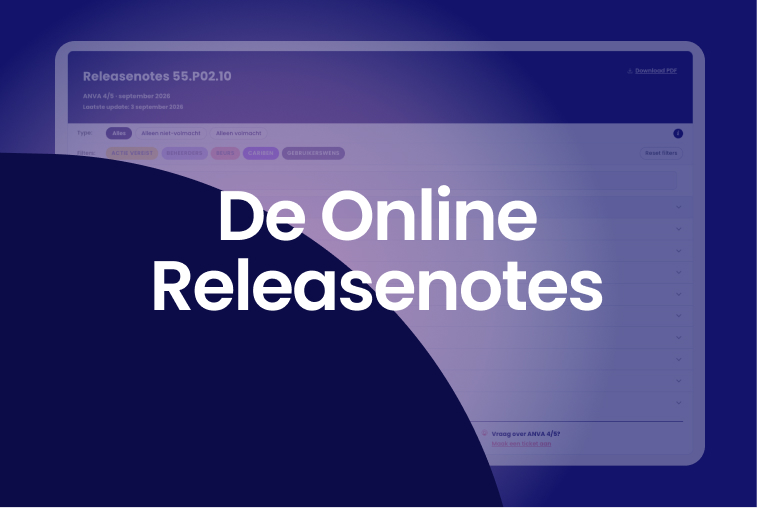
With two major releases per year, a lot of new and updated functionality comes together all at once. This makes the release note quite extensive, even though often only a portion of it is relevant to any given person. The Content Specialists on ANVA’s Customer Support team, who compile the release notes for every release, had been toying with the idea of a different format for some time: something that would make the information easier to find and more user-friendly. When they also received feedback from customers along those lines, that was the immediate impetus to take a different approach.
"After years of writing release notes, this is a logical next step: the same content, but much easier to search." Ellen van der Woude, Content Specialist
Not sure what a filter does? There’s a brief explanation behind the “i” button. The page layout differs slightly from the PDF: at the top, you’ll first see the “Please Note” box with everything you need to keep in mind during installation, and below that, the section with other important information.
The bottom line is that this saves you time. Instead of having to wade through a long document, you can now immediately see which sections apply to you. This way, you’ll know faster what this release means for your work and where you need to take action.
"With just a few clicks or a single search term, you can find the right information. That's what we were aiming for." Charissa van der Zalm, Content Specialist
The release notes are available on the support portal and are accessible only to logged-in users. The PDF version will also remain available, in case you need it or prefer to use it.
Curious about what the Release Notes look like and how they work? In the animation below, you can see how to expand a section, filter by what applies to you, and search for a term.
Do you have login credentials for the support portal? If so, you can find the release notes for release 55.P02.10 here.
This is the first release to be published in this way, so we'd love to hear how it works in practice. That's why you'll find a feedback option at the bottom of the page that lets you email the Content Specialists directly. So if you run into any issues or notice something missing, please let them know.
.png)


.jpg)
.jpg)